

Routing criteria
When an incident is opened in Astry (regardless of the integration method), it is automatically routed to a team based on:
- its priority
- its associated tags
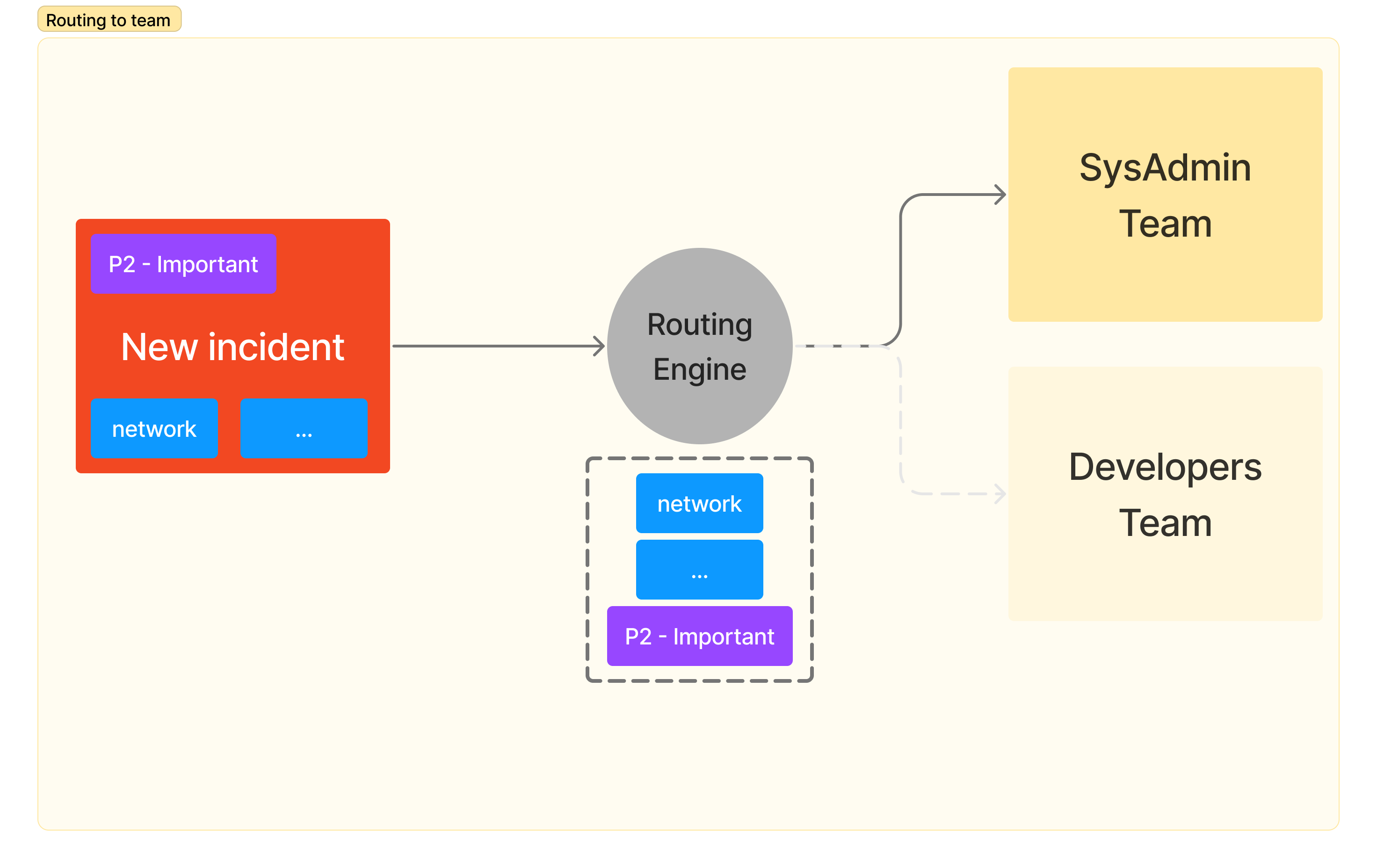
Note: When an incident is created manually with a specific team, the routing rules are not applied: the incident is directly assigned to the chosen team.
Configuring the rules
Routing rules are global to your whole Organization. To manage them, go to the main Organization tab, then Routing rules (Incidents section). You can then add, edit or delete rules. Only Owners can modify routing rules.
Each rule includes:
- conditions (IF): no condition, at least one of the conditions (OR), or all of the conditions (AND). A condition can relate:
- to the priority of the incident: equal to, strictly more critical than, at least as critical as, at most as critical as or strictly less critical than a given priority
- to its tags: they contain or do not contain a given tag
- a consequence (THEN): the team the incident will be assigned to
The order of these rules matters. They are evaluated one by one (starting with the first), and evaluation stops as soon as the incident meets the criteria defined in a rule. The incident is then assigned to a team as defined by the rule. You can change the order of the rules by drag and drop.
Note: A good practice is to define a default rule (that is, a rule with no criteria) as the last rule, which will route unrouted incidents (those that don't match the previously evaluated rules) to a default team. This avoids opening incidents that are not assigned to any team: an incident that matches no rule remains unassigned, and no member of your organization is alerted.
Routing map
The routing map (main Organization tab, then Routing map) lets you visualize, as a diagram, the complete path of a new incident within your organization:
- each routing rule, with its conditions
- the team to which the rule routes the incident
- then the chain of escalations that apply from this team onwards (with their delays and the targeted teams or people)
The map thus lets you check at a glance that no incident will go unanswered. It is also accessible from the Escalations page of each team, to visualize the escalation path of that specific team.